
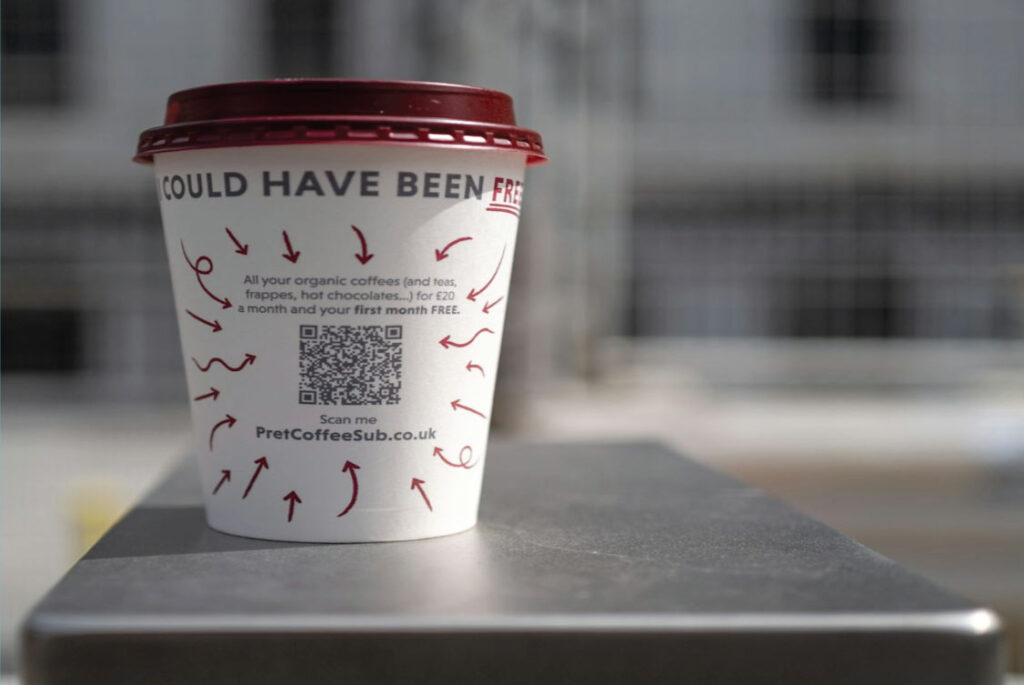
We’ve all been there. You see a QR code on a poster, pull out your phone with anticipation… and nothing happens. Or worse, it leads to a “404 Page Not Found” error.
It’s frustrating, it looks unprofessional, and it loses you potential customers.
The good news? Every single one of these fails is 100% preventable. After analyzing thousands of codes, we’ve identified the top 5 culprits. Let’s fix them.
Mistake #1: The “Set in Stone” Code (Using Static When You Need Dynamic)
The Fail: You print a QR code linking to a specific product page on 5,000 flyers. A week later, the product sells out or the URL changes. Your code is now useless, and those 5,000 flyers are a waste of money.
The Fix: Use a Dynamic QR Code.
- Why it Works: A dynamic QR code is editable. You can change the destination URL at any time without changing the printed code itself. The flyers stay in circulation, but you can now send people to your homepage, a new product, or a special offer.
Actionable Tip: For any marketing campaign, event material, or product packaging, always choose a dynamic code. It’s your insurance policy against changing links.
Mistake #2: The “Where Do I Look?” Code (Poor Placement & Size)
The Fail: A tiny QR code on a billboard 20 feet away. Or a code placed on a curved water bottle that’s impossible to scan.
The Fix: Follow the “10×10 Rule”.
- Why it Works: A good rule of thumb is that the QR code should be at least 10 x 10 modules (the little black squares) in size and the scanning distance should be about 10 times the width of the code. For a billboard, your code needs to be huge. For a business card, a 2×2 inch (5×5 cm) code is perfect.
Mistake #3: The “Rainbow Riddle” Code (Bad Color & Contrast)
The Fail: A beautiful, on-brand, light-blue QR code on a white background. It looks great, but the scanner can’t detect the low contrast between the code and the background.
The Fix: Stick to High-Contrast Color Schemes.
- Why it Works: Scanners need clear contrast to read the code. The most reliable combination is dark on light (e.g., black on white, dark blue on yellow). Avoid light-on-light colors and complex backgrounds behind the code.
Mistake #4: The “Broken Promise” Code (Linking to a Bad Destination)
The Fail: The code scans perfectly, but it leads to a website that isn’t mobile-friendly, loads slowly, or requires a login. The user’s excitement turns to frustration.
The Fix: Always Test the Entire Journey.
- Why it Works: Your responsibility doesn’t end with a working scan. Before you print anything, scan the code with your own phone and go through the entire user experience.
- Does the page load quickly on mobile?
- Is the content easy to read and navigate?
- Is it clear what the user is supposed to do next?
Mistake #5: The “Mystery Box” Code (No Call-to-Action)
The Fail: A QR code with no text. Why should anyone scan it? What’s in it for them?
The Fix: Add a Clear Call-to-Action (CTA).
- Why it Works: A simple line of text near the code increases scan rates dramatically. It gives people a reason to act.
- Instead of: [QR Code]
- Use: “Scan for the Full Menu & Daily Specials” or “Scan to Save Our Contact to Your Phone”
Your Foolproof Pre-Launch Checklist
Before you hit “print” or publish that digital ad, run through this list:
- I am using a Dynamic QR Code for anything that might need updating.
- I have tested the scan with multiple phone models and scanning apps.
- The size and placement are practical for the scanning environment.
- The colors have high contrast (dark on light).
- I have clicked the final link and verified the destination is mobile-friendly and works.
- I have added a clear CTA telling people why they should scan.
By avoiding these common pitfalls, you’ll ensure your QR codes are not just functional, but effective tools that build trust and drive engagement.
We’re curious! What’s the most frustrating QR code fail you’ve ever encountered? Share your story in the comments below!